Package deliveries are at an all-time high, and porch pirates are getting bolder. A basic peephole is no longer enough to protect your home. Fortunately, the latest security devices are now proactive and AI-driven.
These advanced tools offer live video, package awareness, and instant visitor communication. When choosing, look beyond resolution to consider subscription costs, privacy controls, and compatibility with home automation. This ultimate smart doorbell guide will help you make a smart choice.
By comparing top options, you can turn your entryway into a secure fortress. Whether you need local storage or cloud integration, finding the right fit is key for peace of mind. Let’s see how these gadgets can boost your home security today.
Key Takeaways
- Modern security devices now feature advanced AI to detect packages and identify visitors accurately.
- High-resolution video is important, but subscription fees and privacy settings often matter more for long-term value.
- Compatibility with existing home automation systems ensures a seamless user experience.
- Installation requirements vary significantly between wired and battery-powered units.
- Selecting the right hardware depends on your specific security needs and local neighborhood risks.
How to Choose the Best Smart Doorbells in 2026
Choosing the best smart doorbells in 2026 means looking at your home and daily life. A good comparison of smart doorbells helps you pick technology that really helps with security. It should not just add to your porch clutter.
Step 1: Define Your Home’s Entryway and Security Needs
Apartment doors, single-family homes, and wide porches
If you live in an apartment, you might want a small, battery-powered doorbell. It should not need any wires. Homes with big porches need a doorbell that can see more, covering the whole front area. Knowing your space is key to finding the right doorbell.
Package monitoring, visitor communication, and crime deterrence
Think about what you want to do with your doorbell. Do you want to watch deliveries or talk to guests? Good motion detection is important for watching packages. Two-way audio is great for talking to visitors. Plus, a camera can scare off potential troublemakers.
Step 2: Set a Realistic Budget for Hardware and Subscriptions
Affordable smart doorbells under $150
You don’t have to spend a lot to keep your home safe. Affordable smart doorbells like the Blink Video Doorbell or Tapo D225 work well for under $150. They offer key features like motion alerts and clear video without a big price tag.
Premium models and recurring cloud-storage costs
Premium doorbells have cool features like AI detection and better video quality. But, they might cost more each month for full use. Always think about the total cost over two years, including cloud storage fees, before you buy. Here’s a table to help you see the difference in cost.
| Feature Category | Budget Models | Premium Models |
|---|---|---|
| Initial Hardware Cost | $35 – $100 | $150 – $300+ |
| Storage Method | Local/Basic Cloud | Advanced Cloud/AI |
| Subscription Fees | Optional/Low | Required for Features |
| Best For | Renters/Basic Needs | Whole-Home Security |
Compare the Smart Doorbell Features That Matter Most
When looking at the latest smart doorbell technology, a clear image is key. It’s all about a few important features. Knowing these helps you choose a doorbell that really keeps your home safe, not just records.
Video Resolution, HDR, and Night Vision
When 1080p, 2K, and 4K-quality video make a difference
Video resolution affects how clear you can see things. 1080p works for small places, but 2K and 4K are better for bigger areas. High Dynamic Range (HDR) helps by showing both bright and dark areas clearly.
Older doorbells might miss things on your porch. Now, there are doorbells with a 1:1 aspect ratio. This means they can show everything from head to toe. For example, the Google Nest Doorbell has a 166-degree view to catch everything.
“The true value of a smart doorbell lies in its ability to provide actionable intelligence, not just a video feed of a passing car.”
Motion Detection, Person Recognition, and Activity Zones
Reducing false alerts from cars, pets, and passing neighbors
When comparing smart doorbells, advanced detection is key. Top models can tell apart people, animals, cars, and packages. You can also set specific zones to ignore, like busy sidewalks, but watch your porch.
Using smart notifications without missing important activity
Good smart doorbell features 2026 let you choose when to get alerts. You can get notified only when someone is there. This means you only get alerts that matter.
| Feature | 1080p Models | 2K/4K Models |
|---|---|---|
| Detail Level | Basic | High |
| Zoom Capability | Limited | Excellent |
| Best Use Case | Apartments | Large Homes |
| Night Vision | Standard | Enhanced |
Choose Wired or Battery-Powered Installation
Choosing between a wired or battery-powered doorbell is key. This ultimate smart doorbell guide explains the benefits of each. Your choice affects how often you use the doorbell and its upkeep.
When a Wired Doorbell Is the Better Choice
Existing doorbell transformers, voltage requirements, and power reliability
Wired doorbells offer uninterrupted operation. They get power from your home’s electrical system, working 24/7. Make sure your transformer meets the new unit’s voltage needs before buying.
Professional installation for older or complex electrical systems
For homes with old chimes or complex wiring, professional help is needed. A licensed electrician can upgrade your transformer. This keeps your system safe and stable during setup.
When a Battery Doorbell Offers More Flexibility
Charging schedules, removable batteries, and solar accessories
Battery doorbells are great for DIY fans. They need a charging schedule, but many have removable batteries for easy swaps. Solar accessories can also extend battery life.
Installation considerations for renters and homes without doorbell wiring
Renters love battery doorbells because they don’t damage the property. They’re easy to mount on various surfaces. These are the latest smart doorbell technology for homes without wiring.
| Feature | Wired Doorbell | Battery Doorbell |
|---|---|---|
| Power Source | Home Electrical | Rechargeable Battery |
| Maintenance | Low (Set and Forget) | Moderate (Periodic Charging) |
| Installation | Requires Wiring Knowledge | Simple DIY Mounting |
| Best For | Permanent Homeowners | Renters & Apartments |
Evaluate Video Storage, Privacy, and Smart-Home Compatibility
Smart doorbell features 2026 focus on storing clips and keeping your info safe. When comparing smart doorbells, look beyond the camera. It’s important to see how the software handles your personal data.
Cloud Storage Versus Local Recording
Choosing between cloud storage and local recording is key. Cloud storage lets you access your footage from anywhere but costs money each month.
Subscription features from Ring, Google, and Arlo
Brands like Ring, Google, and Arlo offer extra features for a fee. Google’s Standard plan costs $10 a month or $100 a year. It lets you see your video clips for up to 30 days. This is great for those who don’t want to deal with their security footage.
Local storage options from Eufy, Reolink, and Aqara
Local storage is a good choice if you don’t want to pay monthly. Devices like the Eufy E340 have 8GB of storage. This lets you save clips without a subscription. It’s a way to keep your data safe and avoid monthly costs.
Privacy Controls and Data Security
Your front door is a key part of your home. So, keeping your data safe is crucial. Look for doorbells that protect your privacy with strong security measures.
Two-factor authentication, encryption, and account protection
Make sure your doorbell has two-factor authentication (2FA) to keep your account safe. End-to-end encryption is also key. It ensures your video streams are private. These features help you feel secure in a connected world.
Managing shared access, recording zones, and neighborhood privacy
Modern systems let you control who sees your camera feed. You can also set activity zones to avoid recording public areas or your neighbors. These features help you respect others’ privacy while keeping your home safe.
Compatibility With Alexa, Google Home, and Apple Home
A smart home works best when all devices talk to each other. Check if your doorbell works well with your current smart-home setup.
Choosing a doorbell that works with existing smart-home routines
Make sure your doorbell works with Alexa, Google Home, or Apple Home. This way, it can trigger automated routines. For example, your lights can turn on when someone rings the doorbell at night. Choosing the right device makes your home security feel like part of your daily life.
Assess the Top-Rated Smart Doorbells for Different Homes
Looking for the best smart doorbells in 2026? Two leaders stand out for their reliability and features. Smart doorbell reviews 2026 show that the right choice depends on your home’s ecosystem. Choose from these top-rated smart doorbells for seamless integration with your smart home.
Ring Battery Doorbell Pro for Flexible Whole-Home Security
Key features, video performance, and battery operation
The Ring Battery Doorbell Pro is great for those who want versatility and advanced motion detection. It has 3D Motion Detection and Bird’s Eye View for precise tracking. Plus, it offers vibrant color night vision for clear views at night.
Advantages, limitations, and the Ring Protect subscription
It’s easy to install anywhere thanks to its battery. But, you need the Ring Protect subscription for full video history and alerts. Heavy traffic areas might need more frequent charging.
Best fit for households already using Amazon Alexa
This doorbell is perfect for Amazon Alexa users. You can see live feeds on Echo Show devices or get alerts when someone approaches. It’s a top choice for a cohesive, voice-controlled experience.
Google Nest Doorbell (Wired, Second Generation) for Google Home Users
Familiar-face alerts, intelligent notifications, and continuous power
The Google Nest Doorbell (Wired, 2nd Gen) is great at intelligent object recognition. It can tell people, animals, vehicles, and packages apart without manual adjustments. Its wired connection means continuous power without battery worries.
Video history, Nest Aware costs, and Google Assistant integration
Google offers detailed 2K video clips up to five minutes long. The Nest Aware subscription adds cost but offers valuable cloud storage and familiar-face alerts. It works seamlessly with Google Assistant, making it a top choice for Android and Google Home users.
Best fit for homes that prioritize AI-powered alerts
For highly accurate AI detection, this model is hard to beat. It filters out false alarms, so you only get notified about important events. It’s perfect for those who want smart, automated security.
Compare Affordable Smart Doorbells Without Sacrificing Security
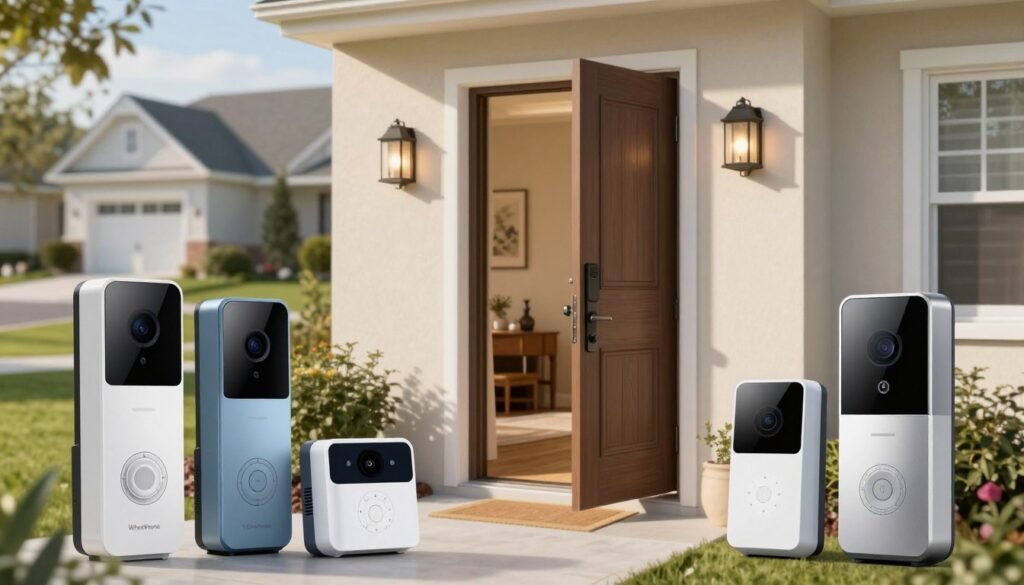
Reviews from 2026 show many affordable smart doorbells that don’t skimp on safety. You don’t have to spend a lot to feel secure or keep an eye on your front door. Many top-rated smart doorbells now have advanced features, just like the expensive ones.
Eufy Video Doorbell E340 for Dual-Camera Package Monitoring
The Eufy E340 has a special dual-camera setup. It covers your entryway fully. This means you catch every detail, from visitors to packages left on the ground.
How the dual-camera design watches faces and packages
The main camera records high-definition video of visitors. The second camera looks down to watch packages. This dual-lens approach makes sure you don’t miss anything, keeping your packages safe from thieves.
Local storage, color night vision, and optional cloud services
This device has local storage, which saves your videos to a microSD card. This means you don’t have to pay for cloud storage every month. Plus, the color night vision lets you see clearly even when it’s dark.
Best fit for buyers seeking strong features without mandatory fees
This model is great for those who want affordable smart doorbells with all the features. It doesn’t need monthly cloud fees, saving you money over time.
Aqara Smart Video Doorbell G4 for Apple Home Compatibility
The Aqara G4 is perfect for Apple users. It works well with Apple devices, focusing on privacy and control in your smart home.
HomeKit Secure Video, facial recognition, and indoor chime functionality
The G4 uses HomeKit Secure Video for storing clips in iCloud. It also has facial recognition for quick visitor identification. The indoor chime lets you hear alerts anywhere in your home without extra hardware.
Battery or wired installation and smart-home limitations
It’s easy to install, working on batteries or wired to your doorbell. While it connects with many platforms, it’s best with Apple devices. This might be a consideration if you use different smart home brands.
Best fit for Apple-focused households and renters
It’s easy to install and remove, making it ideal for renters. It’s a reliable, privacy-focused choice for those who want quality without a high price.
Consider Premium Video Quality and Advanced Detection
Upgrading your home security means choosing the latest smart doorbell tech. Look for clear identification and strong software. These premium models offer a big leap over basic devices.
They’re for those who need uncompromising performance and constant monitoring.
Arlo Video Doorbell 2K for Detailed Visitor Identification
2K HDR video, wide viewing angles, and two-way audio
The Arlo Video Doorbell 2K has top-notch video quality. It has a 180-degree diagonal field of view to catch everything. You can talk to visitors through the two-way audio.
Smart detection features, emergency response, and subscription requirements
This device is great at spotting people, cars, and animals. But, many features need a monthly subscription.
“True security is not just about seeing what happens, but understanding the context of every movement at your door,”
say experts.
Best fit for homeowners who want polished app performance
Arlo is great for a smooth user experience. Its app is easy to use, making it perfect for those who want a polished, reliable system.
Reolink Video Doorbell PoE for Reliable Wired Networking
Power over Ethernet, local recording, and continuous coverage
The Reolink Video Doorbell PoE is for those who like a wired connection. It has a 4:3 aspect ratio for a tall view. You can store footage on a microSD card, avoiding cloud storage costs.
Installation challenges and the need for compatible networking equipment
Setting up a PoE device needs some tech know-how. You need a network that supports PoE injectors or switches. While it’s more work, you get a rock-solid connection without Wi-Fi issues.
Best fit for security-focused homeowners and large properties
This model is ideal for those who value data control. Like the Lorex 4K wired doorbell, it offers free AI recognition and local storage. These top-rated smart doorbells are perfect for those who care about data privacy and continuous, uninterrupted coverage.
Match Smart Doorbell Features to Common Buying Scenarios
Finding the right smart doorbell is easier when you match its features to your life. Think about your daily needs to find the top-rated smart doorbells that fit your home best.
Best Choice for Package Delivery Visibility
Head-to-toe video, package zones, and delivery notifications
For those who get lots of online orders, a camera that shows the whole porch is key. Look for a vertical field of view to see packages at your feet. Dedicated package detection zones send alerts when a delivery comes, keeping your items safe.
Best Choice for Apartments and Rental Homes
Removable mounts, battery operation, and lease-friendly installation
Renters need doorbells that don’t damage the entryway. Choose battery-powered units with easy, non-permanent mounts. These lease-friendly options offer strong security without harming your rental.
Best Choice for Large Properties and Long Driveways
Long-range motion detection, higher resolution, and reliable Wi-Fi
Big homes need doorbells that cover long distances and connect well. High-resolution sensors spot visitors from far away. Long-range motion detection ensures you catch everything. A mesh Wi-Fi system keeps your connection strong, even at the end of a long driveway.
Best Choice for Privacy-Conscious Households
Local recording, limited cloud dependence, and customizable privacy zones
For those who don’t want their data on the cloud, look for local storage via microSD cards or network-attached storage. Use customizable activity zones to keep your neighbors’ privacy. Affordable smart doorbells with these features let you secure your home while controlling your video.
Install a Smart Doorbell Safely and Correctly
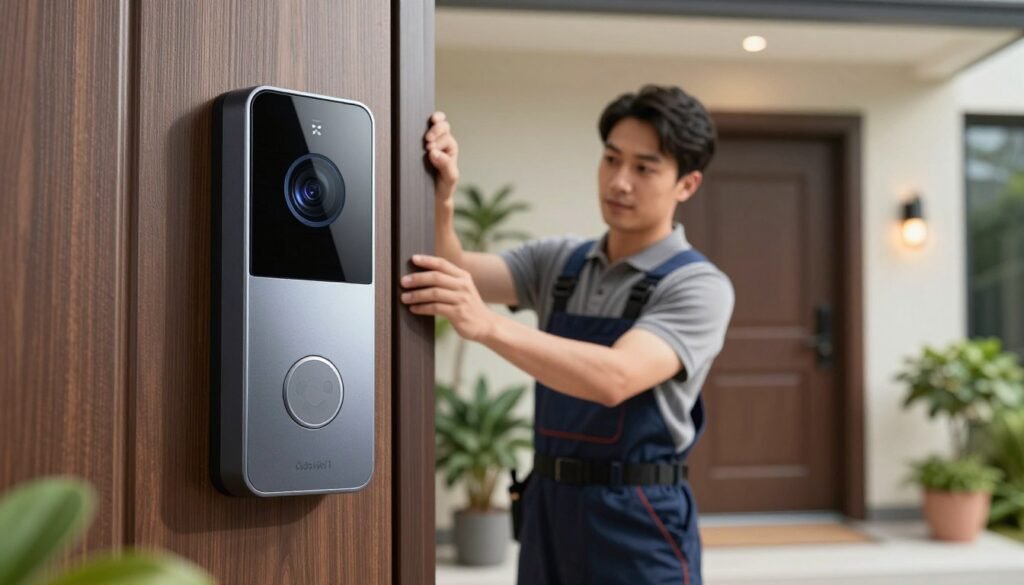
Installing your video doorbell right ensures you enjoy the latest smart doorbell technology fully. This ultimate smart doorbell guide helps your device work well from the start. A careful setup avoids common problems and boosts your security.
Step 1: Check Wiring, Voltage, Wi-Fi, and Mounting Requirements
Testing an existing transformer before connecting a wired model
Before wiring, check your doorbell transformer’s voltage. Most need 16V to 24V AC. Use a multimeter to avoid damaging your new doorbell.
Measuring signal strength and selecting a stable installation position
Your doorbell needs a strong internet connection for alerts. Check Wi-Fi strength at your door with your phone. A stable connection is key for clear video and quick alerts.
Step 2: Mount the Doorbell for a Clear, Useful View
Positioning the camera to capture faces and packages
Mount your doorbell at eye level, about 48 inches high. This angle captures faces and packages well. Proper positioning is crucial for good surveillance.
Using wedges, corner mounts, and tamper-resistant hardware
If your door is set back or angled, use a wedge kit. Tamper-resistant screws add security. These tools ensure your camera covers key areas.
Step 3: Complete Setup in the Manufacturer’s App
Creating a secure account and enabling two-factor authentication
Download the app and make a strong password. Always enable two-factor authentication for security. This step keeps your feed safe.
Configuring motion zones, alert sensitivity, and recording settings
Define activity zones to ignore unnecessary areas. Adjust motion sensitivity for important alerts. Customizing these settings keeps your home safe without annoying you.
Step 4: Test Alerts, Audio, Night Vision, and Doorbell Chimes
Checking notifications from inside and outside the property
Test the camera by walking in front of it. Make sure your phone gets the alert fast. Check two-way audio and night vision too.
Confirming that household members can access the right controls
Invite family to the app for shared security. Make sure everyone knows how to use it. Sharing access makes security a team effort.
Fine-Tune Alerts and Maintain Your Doorbell All Year
Keeping your smart doorbell in top shape is key to protecting your family. With the latest smart doorbell technology, you can turn a simple camera into a top-notch security system. It works great all year round.
Reduce False Notifications With Activity Zones and Schedules
Getting alerts for every passing car can get old fast. By tweaking your settings, you can focus on what really matters at your door.
Blocking sidewalks, streets, and neighboring properties from detection
Most devices let you set up custom activity zones in the app. This way, you can ignore public areas and busy streets. So, you won’t get alerts every time a neighbor walks by or a car drives by.
Adjusting sensitivity for weather, wildlife, and seasonal changes
False alerts can happen due to rain, swaying trees, or wildlife. You should periodically adjust your motion sensitivity levels. This keeps your smart doorbell features 2026 accurate, no matter the weather.
Keep Video, Audio, and Power Performance Reliable
A top-notch security system needs regular upkeep. Ignoring your hardware can lead to poor video quality or missed events.
Cleaning the lens and checking the mount after severe weather
After a storm, clean the camera lens with a soft cloth. Also, check the mount to make sure it’s tight and gives you the best view.
Updating firmware, testing the battery, and reviewing storage capacity
Always update your firmware for the latest security and performance. For battery models, check the charge monthly. Also, clear out old cloud storage to keep things running smoothly.
“Security is not a one-time setup; it is a continuous commitment to monitoring and maintaining your digital and physical perimeter.”
Protect the Device Against Theft and Tampering
Even though these devices are tough, they can still attract thieves. Taking extra steps to secure them gives you peace of mind and deters tampering.
Using secure mounts, tamper alerts, and visible deterrence
Use a special anti-theft mount that needs a unique tool to remove. Turn on tamper alerts in your app so you know right away if someone tries to take it. A visible doorbell can also scare off potential thieves, showing your home is protected.
Buy Smart Doorbells Online With a Practical Comparison Checklist
When you decide to buy smart doorbells online, you face a lot of choices. Many people only look at the price, missing other costs. It’s important to compare smart doorbells carefully to find the best value for your home.
Compare Total Ownership Cost Instead of Sticker Price
Hardware, installation, batteries, chimes, and subscription fees
The cost of a device is just the start. You also need to think about subscription fees for cloud storage. These can add up to hundreds of dollars over time. Plus, you might need extra batteries, a chime, or professional installation.
A cheap model might seem good, but it could lack important features. Always look at the total cost of ownership over three years. This way, you can see which top-rated smart doorbells fit your budget.
Verify Return Policies, Warranty Coverage, and Compatibility
Checking retailer policies before buying smart doorbells online
Before you buy, check the return policy of the retailer. Some places make it easy to return, while others charge fees. Knowing this can give you peace of mind if the device doesn’t work as expected.
Confirming compatibility with the home’s wiring and smart-home platform
Compatibility is key for a good smart home setup. Make sure your wiring supports a wired unit. Also, check if it works with your preferred system, like Amazon Alexa or Google Home.
Use a Final Decision Checklist Before Ordering
Video quality, field of view, alerts, storage, privacy, and weather resistance
Make your decision based on what you need for your home. Look for high-definition video and a wide field of view. Don’t forget about privacy settings to keep your data safe.
Installation complexity, support quality, and long-term reliability
Think about how easy the installation is. Some models are easy to set up yourself, while others need a pro. Good customer support and a solid warranty are also important for peace of mind.
| Feature Category | Budget Considerations | Premium Expectations |
|---|---|---|
| Subscription Fees | Often required for features | Optional or included |
| Video Quality | Standard 1080p resolution | 2K or 4K with HDR |
| Installation | DIY-focused design | Flexible wired/battery |
| Support | Basic email assistance | Priority phone support |
Conclusion
Choosing the right smart doorbell changes how you watch over your home. You now know how to pick one that fits your home’s needs. This includes video quality, power needs, and keeping your privacy safe.
Looking for a deal? A lower price can mean a better buy if it has local storage and sends reliable alerts. Make sure it works well with your smart home, like Google Home, Amazon Alexa, or Apple Home.
Before buying smart doorbells online, think about the costs over time. Subscription fees can add up and change the deal.
Check if your doorbell fits your installation style and offers the security you want. This way, you keep your privacy and feel secure.
You’re all set to pick a smart doorbell that will protect your home for years. Use your checklist to compare and buy with confidence today.